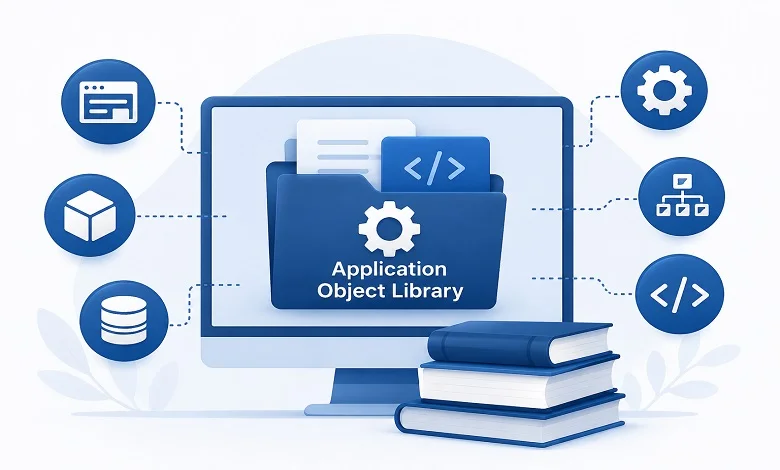
Enterprise applications have become increasingly sophisticated over the last two decades. Organizations no longer rely on a single software solution to manage operations—they use integrated systems for finance, human resources, procurement, inventory, manufacturing, customer relationship management, and more. Behind these systems is a framework that keeps everything organized, secure, and consistent.
One of the most important yet often overlooked components of this framework is the Application Object Library (AOL).
For Oracle E-Business Suite users and enterprise application developers, the Application Object Library serves as the foundation that connects users, security, application configurations, reusable objects, menus, reports, and business rules into a unified environment. Rather than writing every feature repeatedly, developers rely on AOL to provide standardized services that make enterprise applications easier to build, maintain, and scale.
This guide explains everything you need to know—from its architecture and components to practical business applications and best practices.
What Is an Application Object Library?
An Application Object Library (AOL) is a centralized framework that stores and manages reusable application components, metadata, configuration settings, security definitions, and administrative tools used by enterprise software.
Instead of hardcoding application logic into every module, developers use the library to define common elements once and reuse them throughout the system. This significantly reduces duplicate development and ensures consistency across multiple business applications.
Within Oracle E-Business Suite, the Application Object Library acts as the backbone of the entire platform. It manages essential functions such as user authentication, responsibilities, profile options, flexfields, concurrent processing, menus, lookups, and message dictionaries.
Unlike traditional databases that store business records such as invoices or customer information, AOL primarily stores metadata—information that controls how the application behaves rather than the business data itself.
For example, when an employee signs in to Oracle E-Business Suite, the system checks the Application Object Library to determine:
- Which responsibilities does the user have
- Which menus should appear
- What reports can be executed
- Which profile settings should apply
- Which business functions are available
This dynamic approach makes enterprise applications far more flexible than systems that rely solely on hardcoded functionality.
Why the Application Object Library Matters
Modern enterprise systems often consist of hundreds of modules developed by different teams over many years. Without a centralized framework, each module would need its own user management, security rules, navigation system, and configuration settings.
That approach creates unnecessary duplication, increases maintenance costs, and makes upgrades more difficult.
An Application Object Library solves these problems by providing shared services that every module can use.
For example, if your organization decides to change password policies or update user permissions, administrators only need to modify the centralized configuration instead of editing every application individually.
Similarly, if a company introduces a new department, administrators can create a new responsibility, assign menus, and configure profile options without rewriting application code.
This centralized architecture improves consistency while reducing operational complexity.
Understanding the Architecture of an Application Object Library
The Application Object Library is designed as a supporting framework rather than a business application itself. Its architecture enables multiple enterprise modules to share the same configuration and security infrastructure.
The architecture generally consists of four major layers.
1. Presentation Layer
This layer represents everything users interact with.
It includes:
- Application forms
- Menus
- Navigation
- User interface elements
- Search windows
- Data entry screens
Rather than defining navigation separately for every application, menus are centrally managed through the Application Object Library.
2. Application Layer
The application layer contains business logic and processing rules.
Examples include:
- Validation rules
- Security checks
- Workflow processing
- Business calculations
- Function execution
This layer communicates with the Application Object Library whenever configuration information is required.
3. Metadata Layer
The metadata layer is the heart of the Application Object Library.
Instead of storing business transactions, it stores definitions such as:
- Users
- Responsibilities
- Profile Options
- Flexfields
- Lookup Values
- Menu Definitions
- Application Messages
- Concurrent Programs
- Security Rules
Because these definitions are stored centrally, applications remain flexible and easy to manage.
4. Database Layer
The database layer stores operational business information such as:
- Purchase Orders
- Employee Records
- Customer Accounts
- Inventory
- Financial Transactions
Unlike metadata, these records represent actual business activities rather than application configuration.
Core Components of an Application Object Library
Understanding the major components of an Application Object Library helps explain why it plays such an important role in enterprise software.
User Management
Every enterprise application begins with authentication.
The Application Object Library manages user accounts, login credentials, password policies, session management, and account status from a centralized location.
Instead of maintaining separate user databases for every module, organizations manage users once and apply access across multiple applications.
This simplifies administration while strengthening security.
Responsibilities
Responsibilities define what users are allowed to do within the system.
Each responsibility includes:
- Accessible menus
- Available forms
- Reports
- Functions
- Request groups
- Security permissions
For example, an HR manager and a Finance manager may access the same ERP platform but see entirely different menus based on their assigned responsibilities.
This role-based approach improves both usability and security.
Menus
Menus determine how users navigate through enterprise applications.
Rather than creating duplicate navigation structures for every module, administrators define reusable menus that can be assigned to different responsibilities.
This provides several advantages:
- Consistent user experience
- Simplified maintenance
- Faster implementation
- Better scalability
Whenever a menu changes, administrators update it once rather than modifying multiple applications individually.
Profile Options
Profile Options control application behaviour without requiring source code modifications.
Organizations frequently need different settings for various users, departments, or business units.
Common examples include:
- Default language
- Currency
- Printer selection
- Time zone
- Date format
- Organization context
Profile Options allow administrators to customize these settings quickly while keeping the underlying application unchanged.
Flexfields
Few enterprise applications can anticipate every business requirement.
Companies often need to capture additional information unique to their industry.
Flexfields solve this problem by allowing organizations to extend application functionality without changing database structures.
Examples include:
- Customer classifications
- Vendor ratings
- Project identifiers
- Manufacturing batch numbers
- Product specifications
- Employee certifications
Because Flexfields rely on configuration rather than custom coding, they remain compatible with future software upgrades.
Lookup Values
Applications frequently display predefined choices.
Instead of hardcoding these options, developers store them as Lookup Values.
Examples include:
- Country lists
- Payment methods
- Shipping methods
- Order status
- Employee type
- Department names
Administrators can update these values whenever business requirements change without modifying application code.
Message Dictionary
Enterprise applications display thousands of messages every day.
Examples include:
- Error messages
- Validation warnings
- Confirmation prompts
- Informational notices
Rather than embedding messages throughout the application, they are stored centrally within the Message Dictionary.
This approach improves consistency, simplifies maintenance, and supports multilingual environments.
Concurrent Processing
Large organizations regularly execute tasks that take several minutes—or even hours—to complete.
Instead of making users wait, these jobs run in the background through Concurrent Processing.
Examples include:
- Payroll generation
- Financial reporting
- Data imports
- Inventory reconciliation
- Invoice processing
- Batch updates
The Application Object Library manages job scheduling, execution, monitoring, prioritization, and error handling, ensuring long-running processes do not interrupt normal user activity.
Security Management
Security is one of the most critical responsibilities of an Application Object Library.
It provides centralized control over:
- User authentication
- Role-based permissions
- Menu exclusions
- Function security
- Data access
- Responsibility assignments
By managing security centrally, organizations reduce the risk of unauthorized access while simplifying compliance with internal policies and regulatory requirements.
How an Application Object Library Works in Practice
Consider a manufacturing company that uses Oracle E-Business Suite across finance, purchasing, inventory, and human resources.
When a purchasing manager logs in, the Application Object Library immediately verifies the user’s credentials, checks assigned responsibilities, loads the appropriate menus, applies profile options such as organization and language, validates security permissions, and determines which reports and concurrent programs are available.
At the same time, the finance department sees an entirely different interface—even though both departments are using the same enterprise platform.
This dynamic behaviour is possible because the Application Object Library separates application configuration from business data, allowing the system to adapt to each user’s role without requiring separate applications.
Benefits of Using an Application Object Library
An Application Object Library is much more than a collection of reusable application objects. It provides the infrastructure that allows enterprise applications to operate efficiently while remaining secure, scalable, and easy to manage. Organizations that properly implement an AOL often experience faster software development, lower maintenance costs, and improved system reliability.
Below are the most significant advantages.
1. Accelerates Application Development
Developing enterprise software from scratch is both time-consuming and expensive. Many business applications require the same foundational components, including user authentication, menu structures, security permissions, validation rules, and reporting capabilities.
Instead of recreating these features for every project, developers can reuse the standardized components available within the Application Object Library.
This significantly reduces development time and allows teams to focus on solving business problems rather than rebuilding existing functionality. Faster development cycles also help organizations deliver new features and updates more quickly.
2. Promotes Consistency Across Applications
Large organizations often operate multiple enterprise applications across different departments. Without a centralized framework, each application could have a different interface, security model, or navigation structure, creating confusion for users.
An Application Object Library ensures that all applications share common standards. Menus, responsibilities, messages, and user permissions behave consistently across the system, making applications easier to learn and use.
Consistency also improves software quality because developers follow established design standards instead of creating custom solutions for every module.
3. Simplifies System Administration
Managing enterprise applications becomes increasingly challenging as organizations grow. Administrators must oversee users, security settings, profile options, lookup values, concurrent programs, and configuration changes.
An Application Object Library centralizes these administrative tasks, allowing changes to be made once and applied across multiple applications.
For example, if a company changes its organizational structure, administrators can update user responsibilities or profile options from a central location rather than modifying every individual application.
This approach reduces administrative effort while minimizing configuration errors.
4. Strengthens Security and Access Control
Security is a critical concern for every enterprise application, particularly when handling financial, customer, or employee data.
The Application Object Library provides role-based access control by assigning permissions according to job responsibilities instead of individual users. Administrators can specify which forms, reports, functions, and menus each user is allowed to access.
For example:
- HR personnel can access employee records.
- Finance teams can manage accounting transactions.
- Procurement staff can create purchase orders.
- Warehouse employees can update inventory.
By separating permissions according to responsibilities, organizations reduce the risk of unauthorized access while maintaining compliance with internal security policies and industry regulations.
5. Enables Flexible Customization
Every organization has unique business processes that cannot always be addressed using standard software functionality.
The Application Object Library supports customization through configurable features such as Profile Options, Flexfields, Lookup Values, and Application Messages.
Instead of modifying the application’s core source code, administrators can adjust system behaviour using configuration settings.
This flexibility allows businesses to adapt enterprise applications to changing requirements while preserving compatibility with future software updates.
6. Reduces Long-Term Costs
Although implementing an enterprise application requires a significant initial investment, an Application Object Library helps reduce costs over time.
Reusable application components decrease development effort, while centralized administration reduces maintenance expenses. Standardized configurations also lower testing requirements because shared components are validated once and reused across multiple applications.
Fewer coding changes also mean fewer software defects, reducing support costs and minimizing operational disruptions.
7. Makes Software Upgrades Easier
One of the biggest challenges in enterprise software is upgrading customized applications.
Organizations that heavily modify source code often face compatibility issues during software updates.
Since the Application Object Library encourages configuration-based customization instead of code modifications, upgrades become much simpler.
Features such as Profile Options, Flexfields, and Lookup Values remain largely independent of the application’s underlying code, allowing businesses to adopt new software versions with less effort and lower risk.
8. Supports Business Growth
As organizations expand, they typically introduce new users, departments, business units, and operational processes.
The Application Object Library is designed to scale with these changes.
Administrators can create additional responsibilities, menus, security rules, and application configurations without redesigning the system from scratch.
This scalability makes AOL suitable for organizations ranging from small businesses to multinational enterprises.
9. Improves Productivity
Developers, administrators, and end users all benefit from improved productivity.
Developers spend less time building common features.
Administrators manage applications through centralized configuration.
Employees experience a familiar interface across different modules, reducing training time and increasing efficiency.
Together, these improvements contribute to better organizational performance.
Real-World Applications of an Application Object Library
Although the Application Object Library is widely associated with Oracle E-Business Suite, the concept of centralized application metadata is valuable across many industries.
Manufacturing
Manufacturers use Application Object Libraries to manage production planning, procurement, inventory control, and quality assurance.
Different departments access only the information relevant to their responsibilities while sharing a common infrastructure.
Healthcare
Healthcare organizations rely on centralized security to protect sensitive patient information.
Hospitals use Application Object Libraries to manage user roles, appointment systems, reporting, and administrative workflows while maintaining regulatory compliance.
Financial Services
Banks and financial institutions require strict security controls and accurate transaction processing.
An Application Object Library helps enforce standardized security policies, approval workflows, and reporting processes across multiple business units.
Retail and E-commerce
Retail organizations use enterprise applications to manage suppliers, inventory, pricing, customer orders, and warehouse operations.
Centralized configuration ensures consistent business rules across physical stores, online platforms, and distribution centers.
Government Agencies
Government organizations often operate multiple interconnected systems.
An Application Object Library simplifies user management, security administration, and application configuration while supporting large numbers of users.
Common Challenges
Despite its many advantages, implementing an Application Object Library requires careful planning and experienced administration.
Complex Configuration
Large enterprise environments may contain hundreds of responsibilities, thousands of users, and numerous application objects.
Without proper governance, managing these configurations can become difficult.
Steep Learning Curve
Understanding concepts such as Responsibilities, Profile Options, Flexfields, Concurrent Programs, and Security Rules takes time.
New developers and administrators should receive structured training before managing production environments.
Configuration Errors
Because many applications share the same configuration, a single mistake can affect multiple departments.
Examples include:
- Incorrect menu assignments
- Invalid profile options
- Misconfigured security permissions
- Missing lookup values
Organizations should thoroughly test configuration changes before deployment.
Performance Considerations
Poorly optimized concurrent programs, unnecessary customizations, or inefficient database configurations may reduce system performance.
Regular monitoring and performance tuning help maintain a responsive application environment.
Documentation Challenges
Many organizations underestimate the importance of documenting application configurations.
Without proper documentation, troubleshooting becomes more difficult, especially when experienced administrators leave the organization.
Maintaining accurate records of responsibilities, profile options, custom Flexfields, and security settings supports long-term maintainability.
Best Practices for Managing an Application Object Library
Organizations can maximize the value of their Application Object Library by following several proven practices.
- Use clear and consistent naming conventions for responsibilities, menus, and profile options.
- Follow the principle of least privilege when assigning user permissions.
- Prefer configuration-based customization over modifying application source code.
- Thoroughly test new Flexfields and Profile Options before deploying them to production.
- Regularly review user responsibilities and remove unnecessary access.
- Schedule Concurrent Programs during off-peak hours whenever possible.
- Maintain detailed documentation for all custom configurations.
- Monitor system performance and review concurrent processing logs regularly.
- Perform periodic security audits to identify outdated accounts or excessive permissions.
- Stay current with Oracle patches and software updates to improve security and stability.
Future Trends
Enterprise software continues to evolve, and the role of the Application Object Library is evolving with it.
Several trends are shaping its future:
- Increased adoption of cloud-based ERP platforms
- AI-assisted system administration
- Low-code and no-code customization tools
- Stronger cybersecurity frameworks
- API-driven integration between enterprise applications
- Intelligent workflow automation
- Advanced monitoring and analytics
- Greater support for hybrid cloud environments
These developments will continue to make enterprise applications more flexible, scalable, and easier to manage.
Conclusion
The Application Object Library is a fundamental component of enterprise application architecture, providing the shared framework that supports security, configuration, user management, and application customization. Rather than serving as a simple repository, it enables organizations to build scalable, maintainable, and consistent business applications by centralizing reusable objects and administrative controls.
For Oracle E-Business Suite environments, the Application Object Library plays a particularly critical role. Features such as Responsibilities, Profile Options, Flex fields, Lookup Values, Menus, Concurrent Processing, and Security Management work together to simplify development and reduce long-term maintenance costs.
As enterprise software continues to embrace cloud computing, automation, and AI-driven administration, the importance of a well-designed Application Object Library will only increase. Organizations that understand and effectively manage this framework are better positioned to improve operational efficiency, strengthen security, simplify upgrades, and adapt to changing business needs. Investing in a robust Application Object Library today helps build enterprise applications that remain reliable, flexible, and future-ready for years to come.
Frequently Asked Questions
A: An Application Object Library is a centralized repository that stores reusable application components, metadata, security settings, menus, responsibilities, profile options, and other shared configurations used by enterprise applications.
A: The term is most commonly associated with Oracle E-Business Suite. However, the underlying concept of centralized application metadata and reusable components is used by many enterprise software platforms.
A: Flex fields allow organizations to extend application functionality without changing the underlying database structure or modifying core application code.
A: Concurrent Processing enables long-running jobs, such as payroll calculations, financial reporting, and data imports, to execute in the background without interrupting users.
A: It centralizes user authentication, role-based access control, menu permissions, function security, and responsibility management, ensuring consistent access policies across enterprise applications.
A: Profile Options are configurable settings that control application behaviour for users, responsibilities, applications, or entire organizations without requiring software code changes.
